
Photostr vs Photopea: which free online editor is better?
By the Photostr team · Updated
Short answer: both are free browser editors that open PSD files and keep files on your device. Photostr, a free online Photoshop alternative, has no ads and no paid plan, and runs its AI tools on your device. Photopea shows ads unless you pay, but opens more design formats such as XD, Sketch and Figma.
We make Photostr. To keep this fair, we compared both editors on the same day, used only features we could see working, and list the places where Photopea is ahead.
The closest free browser based equivalents to Photoshop are Photopea and Photostr. You don’t need to install either, they open PSD files and they keep your work on your own local device. The choice really comes down to interface, paid features and file compatibility.
The quick comparison
| Photostr | Photopea | |
|---|---|---|
| Price | Free | Free with ads |
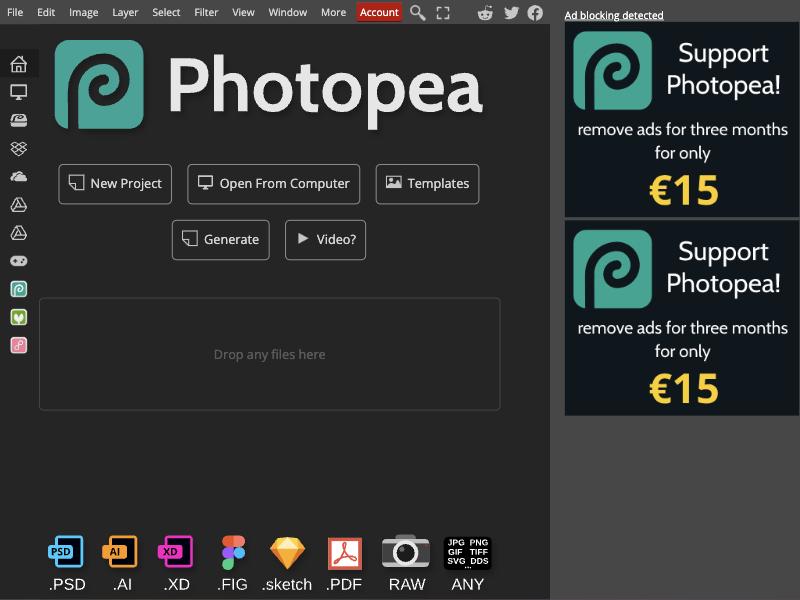
| Ads | None | Ad column on the right |
| Paid plan | None | Removes ads, e.g. €15 for three months |
| Account needed | No | No |
| Files stay on your device | Yes | Yes |
| Open and save layered PSD | Yes | Yes |
| XD, Sketch and Figma files | No | Yes |
| AI background removal | Yes, runs on your device | Yes |
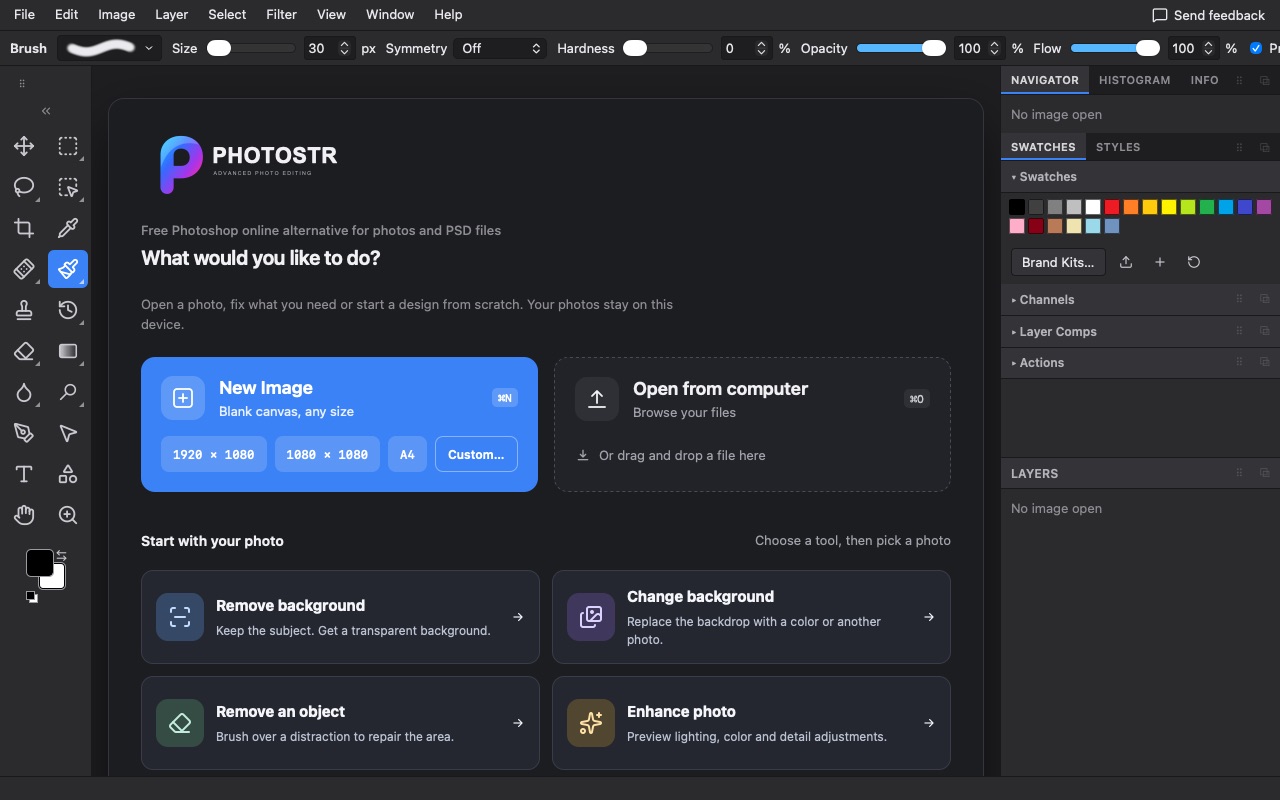
| One-click start for common jobs | Remove background, change background, remove an object, enhance | New project, open, templates |
Screen space and ads
This is the difference you notice first. Photopea is funded mainly by advertising, and the free version keeps a column on the right of the editor for it. In an 800 px window that column took about 31% of the width; at 1280 px, about 14%.
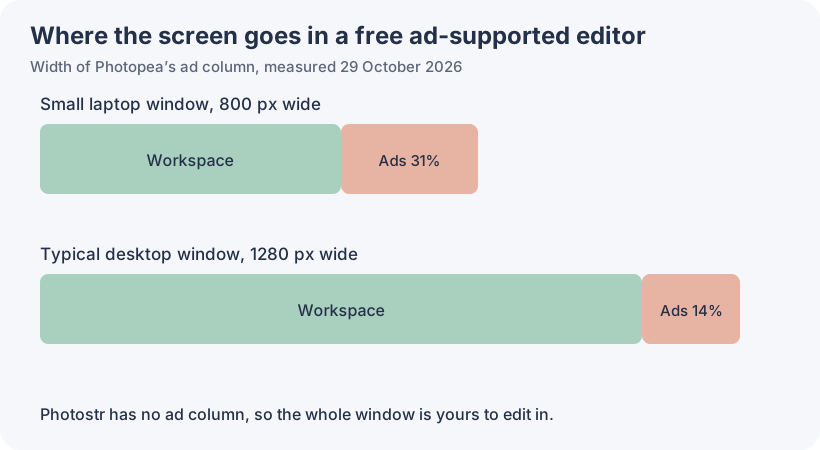
Photostr has no ads, so the canvas and panels use the whole window. That matters most on a laptop, where every bit of width helps when you zoom in on a mask edge.
Cost
Both are free to use. With Photopea, the paid plan is how you remove ads; when we checked, it offered three ad-free months for €15. Photostr has no paid plan for its current tools, so there is nothing to upgrade to.
PSD files
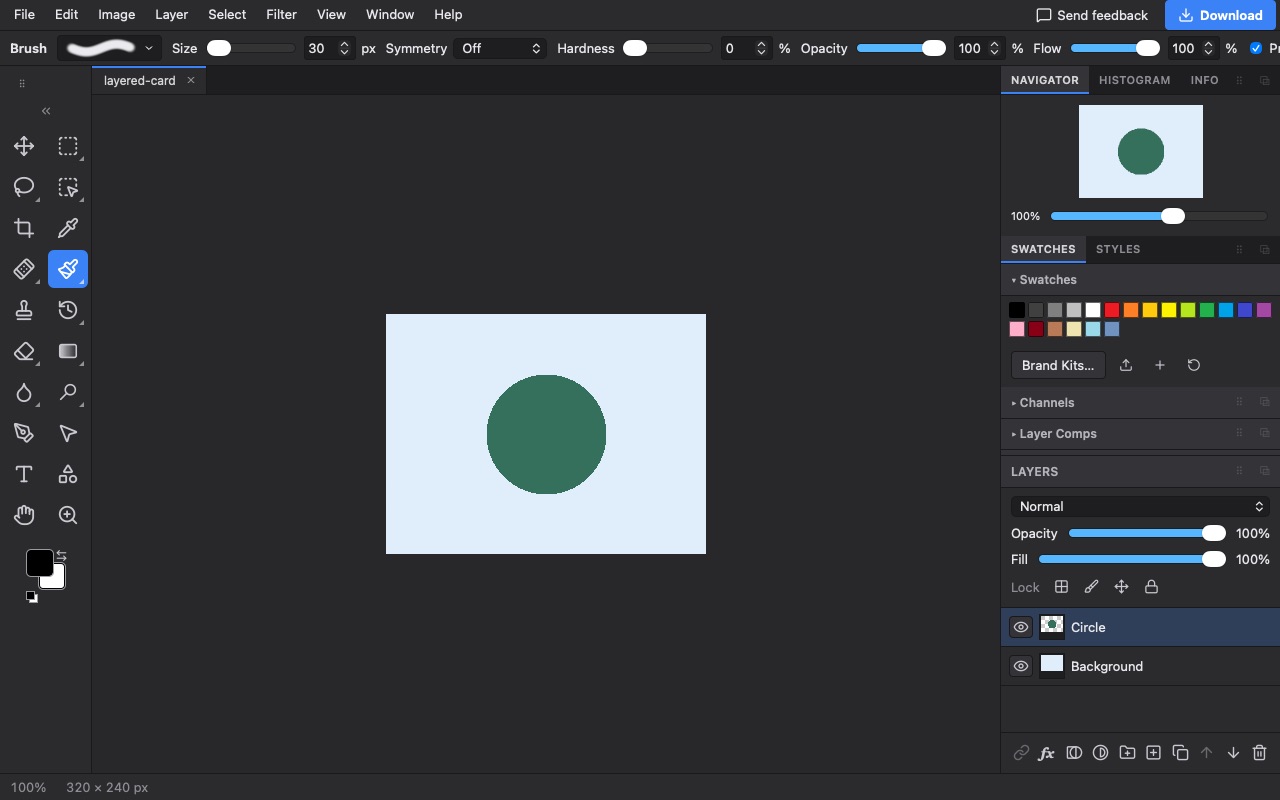
Both open layered PSD files and save them back. In Photostr, supported text and shape layers stay editable when you export a PSD, along with groups, masks and adjustments. Fonts you do not have and complex layer effects can look different in either editor, so keep the original and check the result.
Other file types
This is where Photopea is ahead. It opens Adobe XD, Sketch and Figma files, which Photostr does not. Photostr covers PSD, PNG, JPEG, WebP, HEIC, TIFF, SVG, PDF and many camera RAW formats; the full list is on the supported files page.
Privacy
Photopea says files stay on your device, and so do Photostr’s. Photostr goes a step further with its AI tools: background removal and object removal download a model to your browser and run there, so the photo itself is never sent anywhere.
Learning and help
Photopea has been around since 2013 and has a large library of tutorials and community answers. Photostr is newer. Its layout and shortcuts follow Photoshop, so most Photoshop tutorials still apply, and our guides cover the common jobs step by step.
Verdict
Pick Photopea if you need to open XD, Sketch or Figma files, or you rely on its long history of tutorials.
Pick Photostr if you want the same kind of browser editor with no ads, no paid plan and AI tools that keep your photos on your device. For most photo and PSD work, it is the cleaner free choice. Open Photostr and try it on the same file.
Comparing more options? See the 10 best free Photopea alternatives.
Frequently asked questions
Is Photostr better than Photopea?
For most photo and PSD editing, Photostr is the better free choice because it has no ads, no paid plan and runs its AI tools on your device. Photopea is better if you need to open XD, Sketch or Figma files.
Is Photostr the same as Photopea?
No. They are separate editors from different companies. Both run in a browser and open PSD files, but Photostr has no ads.
Does Photostr have ads like Photopea?
No. Photostr shows no ads and has no paid plan to remove them.
Can I open my Photopea work in Photostr?
Yes. Save your work from Photopea as a PSD file, then open it in Photostr with Open from computer.
What is a free alternative to Photopea?
Photostr is a free alternative to Photopea with no ads. It runs in your browser, opens and saves PSD files, and needs no account.
Photoshop is a trademark of Adobe. Photostr is not affiliated with or endorsed by Adobe, or by any other company named here. Prices and plans were checked on 29 October 2026 and can change.