

File reference
Which files can I open and save?
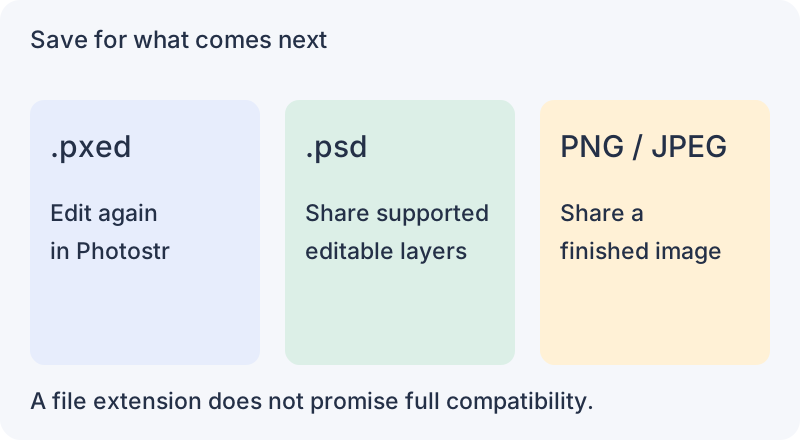
Use a .pxed project to continue editing in Photostr. Choose PSD to share supported layers, or export an image for the finished result.
Files you can open
| File | What to expect |
|---|---|
| Photostr .pxed | Layers and editing data saved by Photostr. Download a copy; browser autosaves are not a backup. |
| PSD | Supported layers, text, shapes, masks and adjustments. Complex files can differ. See the PSD guide. |
| PNG, JPEG, WebP, BMP, AVIF | Open as pictures. Some variants depend on browser support. |
| GIF | Still images and supported animated GIFs. GIF uses a limited colour palette. |
| TIFF | Supported 8-bit and 16-bit images. Compression and colour settings can affect compatibility. |
| HEIC / HEIF | Supported photos open on your device. Some variants are not supported. |
| SVG | Simple supported shapes can stay editable. Complex artwork may open as a picture. |
| PDF / AI | PDF pages open as pictures at your chosen resolution. AI needs an embedded PDF-compatible copy; original vector editing is not preserved. |
| DNG and camera RAW | Supported CR2, NEF, NRW, ARW, SR2, PEF, ORF, RW2 and RAF files develop locally. Support varies by camera and compression. |
| ORA, KRA, PDN, Affinity | Supported pixel layers and groups can open separately. Unsupported content may use a merged preview; check the message shown when the file opens. |
| Other image formats | Supported TGA, PBM, PGM, PPM, PNM, PAM, PCX, EXR and DDS variants. An extension alone does not guarantee support. |
What can I save or export?
- Project: File → Save downloads a .pxed file for your next Photostr session.
- Layered PSD: File → Save as PSD keeps supported layers. Check the exported file in the receiving editor.
- PNG, JPEG, WebP, GIF or TIFF: File → Export As combines the visible result. PNG and WebP can keep transparency; JPEG cannot. PNG and TIFF offer 16-bit output.
- SVG or PDF: use their separate File export commands. Some content becomes pixels; this does not preserve every original vector or text feature.
Photostr does not save edits back as RAW, HEIC, KRA or Affinity files. Save a project first, then export the format you need.
For a first edit, follow the photo editing guide. For transparent output, see background removal.
Reviewed . Opening and exporting happen on your device.